 |
16" / 40.64cm QHD+ 2560-by-1600 pixels; 16:10 aspect ratio
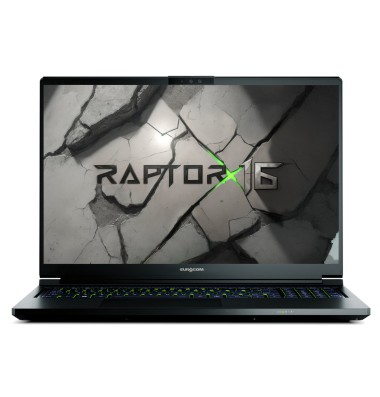
Featuring the NVIDIA GeForce RTX 5070Ti, this 16-inch powerhouse redefines mobile gaming and power computing on the go.
EUROCOM Raptor X16 is powered by Intel Core Ultra 9 Processor 275HX 24C/24T Processor with 36M cache and NVIDIA GeForce RTX 5070Ti 12GB DDR7 with NVIDIA Blackwell architecture and 184 Tensor AI cores. It supports up to 24TB of NVME SSD storage in RAID 0/1/5 and two Thunderbolt 4 ports allowing up to 3 external monitors connected directly to dGPU.
With the perfect balance of performance and portability the Raptor X16 is designed for anyone - gamer, student, artist, engineer, AI developer - who refuse to and cannot compromise while on the go.
Mechanical: Aluminium Magnesium Alloy (5052); Bottom case, Top case and Back cover.
Chipset: Intel Arrow Lake HX platform; Intel HM870 Express Chipset
Processor: Intel Core Ultra 9 Processor 275HX; 24cores / 24threads; 36M cache; on-board; CPU and RAM overclocking supported.
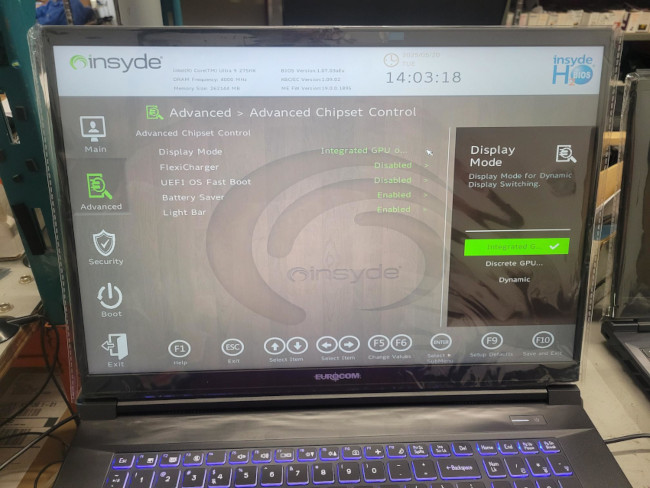
GPU Technology: NVIDIA GeForce RTX 5070Ti (5888 CUDA/12GB GDDR7/184 Tensor AI cores); powered by the NVIDIA Blackwell architecture; dGPU only, iGPU only or Advanced NVIDIA Optimus Dynamic Display Switching Mode; NVIDIA Surround View via 1x HDMI and 2x Thunderbolt 4; supports 4 active displays
Storage: Up to 24TB SSD; M.2 2280; NVMe; three physical drives; 2x PCIe 4.0 x4; 1x PCIe 5.0
Memory: up to 128GB; DDR5 4800/5200/5600; two 262-pin, SODIMM sockets
Card Reader: built in Push Push microSD slot; supports microSD, microSDHC and microSDXC
Choice of Operating Systems: Microsoft Windows 11; Microsoft Server 2024; Linux Ubuntu; QUBES O/S
Webcam: 5M Hello Camera w/ shutter (can be removed for security); supports face recognition
LAN: 2.5GbE Intel/Killer E3100X; 1x RJ-45
Keyboard: Full Size 4 Zone Full Colour Backlit Keyboard; Microsoft Precision Touchpad with multi-gesture two buttons
Security: TPM 2.0; Kensington lock; BIOS password
Sound System: High Definition audio interface; Built-in Array Microphone; Built-in two speakers; Sound Blaster Studio Pro 2
Ports: 2x Thunderbolt 4 w/ power delivery; 2 x USB 3.2 Gen2 (type A); 1x HDMI 2.0 output with HDCP; 1x 2-in-1 Audio jack (Headphone/Microphone); 1x RJ-45 LAN; 1x DC-in
Weight/Dimensions: 2.25 kg/4.96 lbs; WxDxH- 355.8mm x 271mm x 19.9mm/14” x 10.67” x 0.78” |