
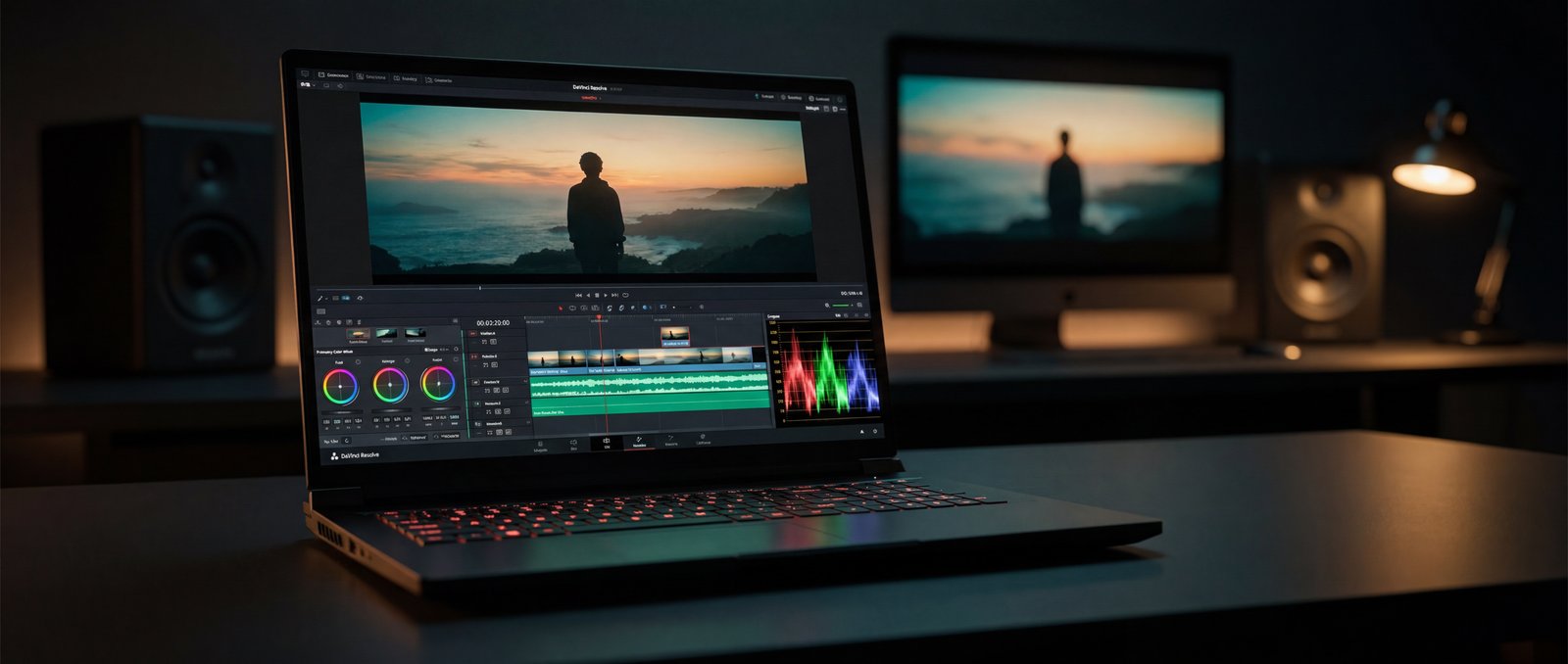
Post-production has always been the workload that broke laptops. Even with H.265 hardware acceleration, even with optimized media files, even with proxies, the moment a colorist starts stacking nodes on a 4K timeline the laptop becomes the limiting factor in the room. For most of the last decade, the working answer was “edit on the laptop, finish on the tower.”
The Raptor X18 is one of the few 2026 laptops that genuinely lets you finish on the road. The combination of a Core Ultra 9 275HX, an RTX 5090 Laptop with 24 GB of GDDR7, a Gen5 NVMe at 12 GB/s sequential, and 256 GB of system RAM rebuilds the entire post-production pipeline on a single chassis.
The laptop that travels for post-production is not the one that plays the cut. It is the one that plays the cut, runs the grade, and exports the master without asking you to come back tomorrow. // Eurocom Test Lab · Media Bench
// 01 As-Tested Configuration
The unit reviewed here is configured the way a working video editor or colorist would specify it: maximum CPU, maximum GPU, maximum memory, fastest available storage. Lower configurations of the X18 are available; this is the build that hits desktop-finishing class.
// 02 4K HEVC Transcode Throughput
SPECworkstation 4.0's HandBrake workload measures GPU-accelerated H.265 transcoding — the operation that defines how long an editor waits for a delivery master, a proxy build, or a streaming-ready upload. The Raptor X18's RTX 5090 Laptop returned the following numbers on stock settings.
The practical translation: a 30-minute 4K HEVC project transcodes to a 4K master in roughly four minutes. The same project to a 1080p H.265 delivery takes about three. Proxy builds for editorial happen in real time on most modern codecs.
// 03 Color & Effects
DaVinci Resolve, Premiere Pro, and After Effects all depend on the same underlying capability: GPU compute throughput high enough to debayer, denoise, grade, and stabilize 4K footage in real time. The PassMark and Geekbench OpenCL numbers above are the canonical measure of that throughput, and they place the RTX 5090 Laptop in the same performance class as a desktop RTX 4080.
For colorists specifically, the X18's 24 GB of GDDR7 is the difference between stacking five color-correction nodes and stacking fifteen. Resolve's Neural Engine effects (face refinement, magic mask, depth map) all fit comfortably in VRAM at 4K resolution. For VFX-leaning workflows in After Effects, the same VRAM headroom enables larger plate compositions before disk-cache thrashing kicks in.
Every Eurocom laptop is configured to order in Ottawa. Choose the CPU, GPU, memory, storage, and display. Add enterprise warranty and on-site service.
Open Configurator →// 04 Gen5 Scratch Disk
The unsung hero of any modern editing rig is the scratch disk. 4K and higher footage moves faster than older NVMe can serve, and editorial cache files for color and VFX scale linearly with project complexity. The X18 ships with a Samsung 9100 PRO 1 TB Gen5 NVMe — one of the fastest consumer SSDs currently available.
For editorial workflows, 12 GB/s sequential read means up to twenty concurrent 4K ProRes 422 streams can play back from the scratch disk without dropped frames. For ingest, 12.9 GB/s sequential write means copying an SD card or RAID is bottlenecked by the source, not the destination. The platform additionally supports a second M.2 Gen5 slot — configurable for RAID 0 across two SSDs or simply for separating media and cache.
// 05 The 18-Inch Panel
The X18's 18.0” 2560 × 1600 16:10 display gives an editor roughly 30% more vertical pixels than a 16:9 panel of the same diagonal — enough headroom to keep the inspector, scopes, and timeline visible simultaneously in Resolve or Premiere. The 16:10 aspect ratio is the same one most editorial UIs are designed for.
For finishing work, the panel is best paired with an external reference display; for editing, color-checks, and on-set monitoring, the built-in display is more than capable.
// 06 Real Workflows
Editorial
Multi-cam 4K H.265 timelines in Premiere Pro or Resolve play in real time on the X18 without proxy generation for most modern footage. Multi-cam ProRes timelines benefit from the Gen5 scratch disk — ten or more concurrent streams without buffering.
Color
4K HDR grading sessions in DaVinci Resolve with full color-correction node trees and neural-engine effects run at timeline speed. The 24 GB of VRAM supports complex node stacks before any disk caching is required.
Finishing & delivery
The HandBrake numbers above translate directly to Resolve and Premiere render queues. A typical 30-minute 4K HEVC master delivers in roughly four minutes; ProRes masters take longer but the GPU-accelerated paths are the limiting factor, not the CPU.
On-set
For digital imaging technicians and DITs, the X18 is overkill in the best way: a laptop that handles dailies transcoding, LUT preview, on-set color, and live grade-to-monitor all on the same machine. The 256 GB of RAM makes large ingest sessions trivial.
// 07 Verdict
For video editors, colorists, and post-production engineers, the Raptor X18 is one of the very few 2026 laptops that finishes work to delivery on the road. The numbers tell the story: HandBrake at 144 fps on 4K HEVC, 99th-percentile disk throughput, RTX 5090 Laptop GPU compute on par with a desktop RTX 4080, and 256 GB of memory to handle the cache files that defeat smaller machines.
What you give up: weight, battery, and a fan profile that's noticeable under sustained load. What you get: a finishing-grade post workstation that fits in a Pelican case and travels with the shoot — with four M.2 NVMe slots (one PCIe Gen5, three Gen4) for media + cache + project separation, and 256 GB of DDR5 for the heaviest Resolve and After Effects timelines.
Eurocom configures every Raptor X18 to order in Ottawa — the same chassis is available with RTX 5080 or RTX 5090, with memory and storage tiers scaled to your delivery format. For documentary and journalism workflows in sensitive environments, the webcam, microphone, and wireless module are all physically removable from the chassis — the editor on a court case, a war zone, or a source protection beat gets the same hardware as the editor in the suite.
- HandBrake 4K HEVC transcode at 144.74 fps — a 30-minute 4K master delivers in roughly four minutes
- Samsung 9100 PRO Gen5 NVMe at 12.3 GB/s read · 12.9 GB/s write — 99th-percentile PassMark Disk Mark
- RTX 5090 Laptop with 24 GB GDDR7 — full Resolve neural effects stack at 4K without VRAM thrashing
- 256 GB of DDR5-5200 keeps editorial cache, multi-cam streams, and color trees in memory simultaneously
- 18.0” 2560 × 1600 16:10 panel — native aspect for Resolve and Premiere editorial UIs
- Four M.2 NVMe slots (1× PCIe Gen5 + 3× PCIe Gen4, RAID capable) and four SO-DIMM slots up to 256 GB — future-proofed for next-gen high-bitrate codecs