
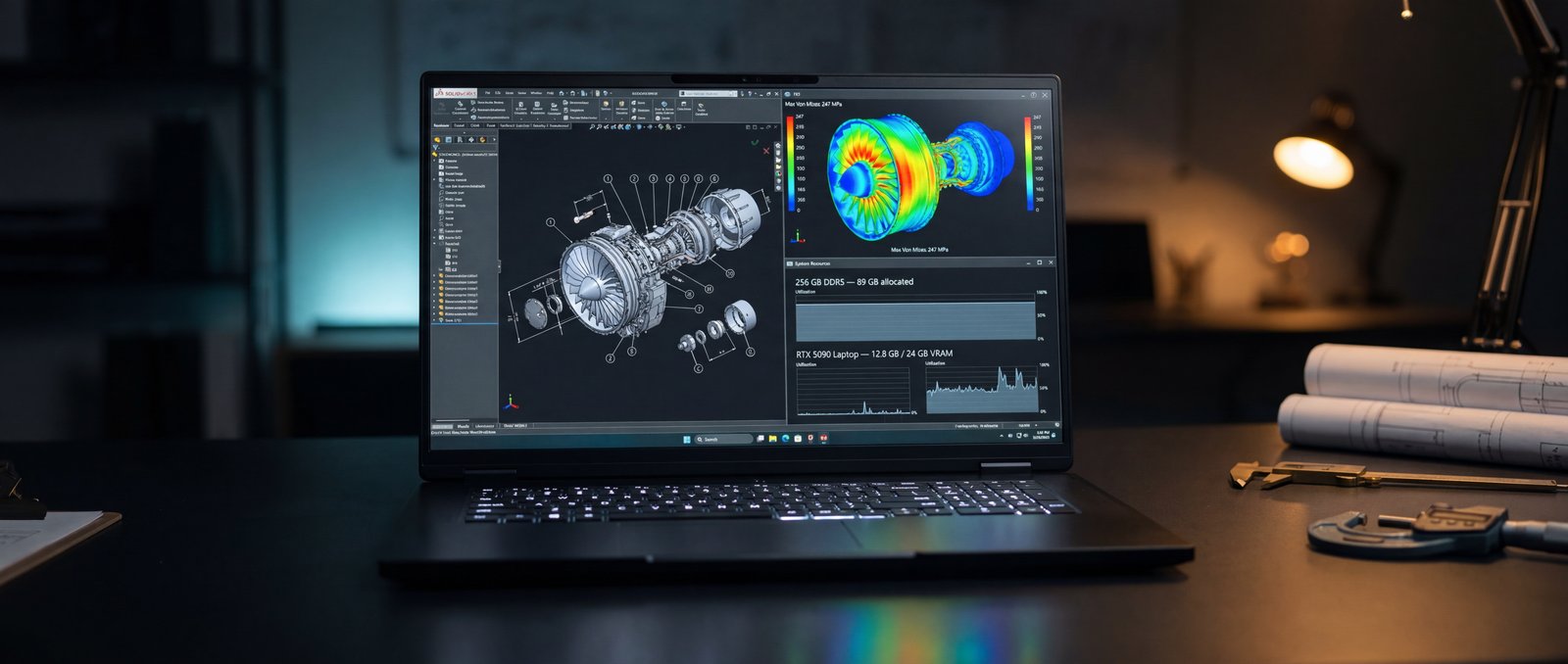
Engineering laptops have always been a compromise. The thin-and-light Ultrabook category never had the GPU for shaded viewports. The gaming laptop category had the GPU but not the memory or storage for large assemblies. And the certified mobile workstation category historically charged enterprise prices for years-old silicon.
The Raptor X18 is one of a small number of 2026 laptops that resolves all three constraints. An Intel Core Ultra 9 275HX with 24 cores. An RTX 5090 Laptop GPU with 24 GB of VRAM. 256 GB of DDR5 across four channels. PCIe Gen5 NVMe storage at 12 GB/s sequential. And every component user-replaceable when the next generation ships.
The right test for an engineering laptop is not how fast it runs SOLIDWORKS on the spec sheet. It is whether the assembly rotates smoothly while the simulation runs in the background. // Eurocom Test Lab · CAD Bench
// 01 As-Tested Configuration
The unit reviewed here represents a typical engineering build. The X18 platform supports CPUs and memory above this configuration; for most CAD users, this is the build that hits the sweet spot.
// 02 Autodesk Inventor Times
SPECworkstation 4.0's Autodesk Inventor workload exercises the four operations that define daily CAD work: opening a large assembly, creating and updating files, rebuilding the model, and rendering styles and materials. The X18 returned numbers competitive with desktop workstations carrying the same silicon.
The numbers translate directly to workflow. A 9.5-second rebuild on a complex assembly means a CAD designer can iterate parametric changes throughout the day without the productivity tax of a 30-second wait. A 739 ms style render lets you preview material changes interactively.
// 03 SPEC Industry Verticals
SPECworkstation 4.0's industry verticals condense dozens of workloads into a single comparable score for each engineering discipline. The X18 returned numbers above the SPEC reference platform across every relevant vertical.
The Product Design vertical at 2.27 is the most relevant for traditional CAD users; the Energy and Life Sciences verticals matter for simulation-driven engineering, where the underlying compute and memory bandwidth dominate runtime.
Every Eurocom laptop is configured to order in Ottawa. Choose the CPU, GPU, memory, storage, and display. Add enterprise warranty and on-site service.
Open Configurator →// 04 Simulation & FEA
For engineering teams running FEA, CFD, and molecular dynamics, the X18's 24-core CPU and 256 GB of RAM are the headline features. SPECworkstation 4.0 exercises this category through LAMMPS (molecular dynamics), NAMD (biomolecular simulation), MFEM (finite-element methods), and Convolution. The X18 returned SPEC ratios above the reference on every test.
The CPU score on PassMark backs this up at the system level: 49,173 CPU Mark (93rd percentile), with multi-threaded scaling that puts the X18 at roughly 2.4× the world-average system. For an engineer running an overnight FEA solve, that ratio compresses the wall-clock from sixteen hours to seven.
// 05 Why 256 GB Matters
The single biggest constraint for CAD users on traditional laptops is memory. Large assemblies in Inventor, NX, and SOLIDWORKS easily exceed 32 GB of working set; CFD meshes can run into the hundreds of gigabytes. The X18 ships in configurations up to 256 GB of DDR5 across four user-replaceable SO-DIMM slots — the configuration we tested.
The benefit is binary. Either the assembly fits in RAM or it doesn't. With 256 GB available, even the largest production assemblies open without the spinning beachball that plagues 32 GB laptops, and simulation pre-processing happens entirely in memory. PassMark's Memory Mark of 2,981 and MaxxMem2 read/write bandwidth of 27/48 GB/s put the X18 ahead of typical mobile workstations on raw memory throughput.
// 06 Field Engineering
The defining argument for a mobile workstation is whether you can take it where the work is. Engineering site visits, customer locations, vendor facilities, and trade-show demonstrations all benefit from a laptop that can run the full CAD stack without compromise. The X18 is heavier than a typical Ultrabook — about 4 kg with the 780-watt power brick — but the trade-off is that the same machine you use at your desk is the same machine you use on the road. No remote-desktop fallback. No cut-down mobile version of the CAD app. No "we'll have to follow up on this after I get back to the office."
Two Thunderbolt 5 ports, full HDMI 2.1, DisplayPort 2.1, 2.5 GbE, and three USB-A ports mean any client site is dongle-free.
// 07 Verdict
For CAD users, mechanical engineers, simulation researchers, and engineering teams who need a single machine that travels, the Raptor X18 is one of a very small number of 2026 laptops that genuinely replaces a desktop workstation. The numbers above tell the story: every SPECworkstation vertical above the reference, Inventor times comparable to a tower, and 256 GB of memory available for the assemblies and meshes that previous-generation laptops simply could not hold.
What you give up: weight and battery life. What you get: a mobile workstation built to order in Ottawa, with 256 GB of replaceable DDR5 across four SO-DIMM slots and four M.2 NVMe slots (one PCIe Gen5, three Gen4) ready for RAID and expansion.
Eurocom configures every Raptor X18 to order — the same chassis is available with RTX 5080 or RTX 5090 graphics, with memory and storage tiers scaled to your project size. For engineering teams working under ITAR, ITSG-33, or other export-controlled programs, the webcam, microphone, and wireless module are all physically removable from the chassis — suitable for defense and government-procurement specs.
- Autodesk Inventor rebuild on a complex assembly in 9.5 seconds — comparable to desktop workstation times
- SPEC Product Design vertical 2.27 — well above the reference workstation across CAD workloads
- Simulation: LAMMPS 1.36, NAMD 1.45, MFEM 1.47 — FEA-class wall clock cut substantially vs. mobile reference
- 256 GB of DDR5-5200 in four user-replaceable SO-DIMM slots — large assemblies fit in RAM
- PassMark CPU Mark 49,173 (93rd percentile) — 2.4× the world average for multi-threaded engineering loads
- User-replaceable DDR5 (4× SO-DIMM, up to 256 GB) and four M.2 NVMe slots (1× PCIe Gen5 + 3× Gen4 with RAID support) — future-proofed for next-gen storage