
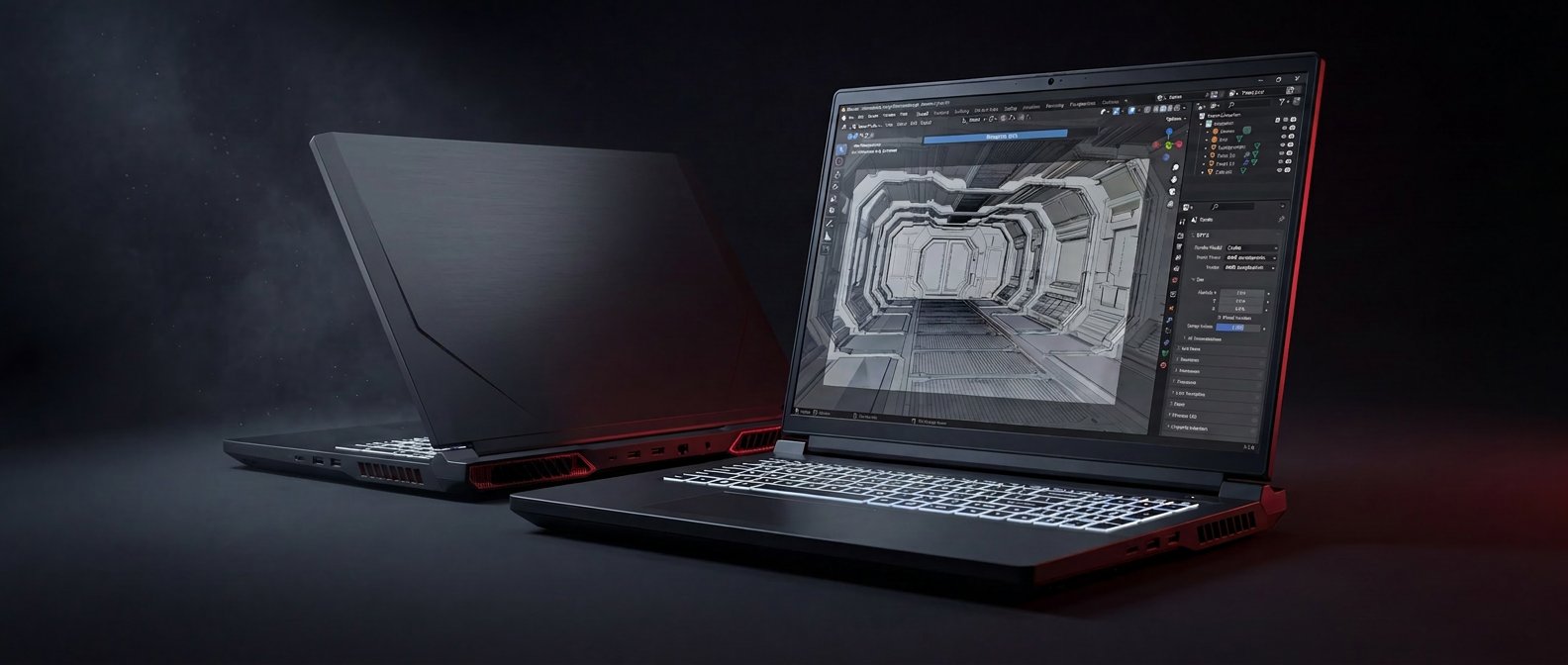
The 3D pipeline is the most demanding workload a workstation can run that is not literally machine-learning training. Lookdev iteration depends on render speed. Final-frame rendering depends on VRAM and core count. Simulations — cloth, fluid, smoke, particles — depend on memory bandwidth. Viewport responsiveness depends on a combination of CPU, GPU, and driver maturity. A real 3D laptop has to be good at all of it.
The Raptor X18 is one of a small number of 2026 laptops that genuinely is. The RTX 5090 Laptop GPU with 24 GB of GDDR7 puts it in the same bracket as a desktop RTX 4080 for OPTIX-accelerated Cycles rendering. The 256 GB of DDR5 system memory holds production-scale geometry and simulation caches. And every component remains user-replaceable for the next generation of silicon.
The laptop that lets a 3D artist iterate is not the one that wins a benchmark. It is the one that finishes the lookdev render before the coffee gets cold. // Eurocom Test Lab · 3D Bench
// 01 As-Tested Configuration
This is the build most working 3D artists and small VFX studios would specify: maximum CPU, maximum GPU, maximum memory, fastest storage. Lower configurations of the X18 are available; this is the flagship.
// 02 Blender Open Data
The Blender Open Data benchmark is the closest thing the 3D industry has to a universal performance comparison — nearly every working Blender artist has submitted a result for their current hardware, and the database is the canonical reference. We ran Blender 5.1.1 with OPTIX on the RTX 5090 Laptop.
For context: a score above 8,000 on Blender Open Data is the territory that desktop RTX 4080 and 4090 cards have held since launch. The fact that an 18-inch laptop returns the same number is the entire reason the X18 exists.
// 03 SPEC Blender Suite
SPECworkstation 4.0's Blender suite is a more granular view than Open Data: it runs four production-class scenes against the SPEC reference machine and returns SPEC ratios for each. A ratio of 1.0 means "same as reference." A ratio above 1.0 means "faster than reference."
The Classroom result is the headline: 4.27× the SPEC reference workstation on the heaviest scene in the suite. In real-artist terms, the X18 finishes Classroom in 65.92 seconds where the SPEC reference machine takes nearly five minutes. A lookdev iteration cycle that used to be coffee-break-long becomes about a minute.
Every Eurocom laptop is configured to order in Ottawa. Choose the CPU, GPU, memory, storage, and display. Add enterprise warranty and on-site service.
Open Configurator →// 04 OPTIX & VRAM
OPTIX-accelerated rendering is now the default in Cycles for anyone with an RTX GPU, and it is the single biggest determinant of how a 3D artist's day actually feels. The RTX 5090 Laptop in the X18 brings full second-generation Blackwell ray tracing hardware to the laptop form factor.
VRAM is the other half of the equation. 24 GB of GDDR7 on the X18 means most production scenes fit on-card without out-of-core spillage. Texture-heavy environment work, complex character lookdev with displacement and subsurface scattering, and effects-heavy scenes with volumetric domains all benefit. For studios where 16 GB has been the working ceiling, the jump to 24 GB removes a regular workflow friction point.
// 05 The Wider 3D Toolchain
Blender is the headline benchmark, but most 3D artists work across a toolchain: Maya for animation, Houdini for FX, ZBrush for sculpting, Substance for texturing, Cinema 4D for motion graphics, Unreal or Unity for real-time. The X18's CPU and GPU performance translates directly across these tools.
The Blender results translate directly to how alternative path tracers (Octane, V-Ray, RenderMan) will scale on the same hardware. PassMark's 3D Graphics Mark of 35,660 (97th percentile) covers the DirectX viewport performance that drives Maya and Cinema 4D, ensuring shaded viewport responsiveness on scenes that would tank a typical mobile workstation.
// 06 Viewport Performance
For animators and lookdev artists, viewport responsiveness matters more than render speed. The X18's combination of a high-clock 24-core CPU, an RTX 5090 GPU, and 256 GB of DDR5 means viewports stay interactive on scenes that would tank a typical mobile workstation. The PassMark 2D Graphics result of 1,512 (97th percentile) captures the Direct2D performance that affects compositor and texture-paint UIs. The 3D Graphics Mark of 35,660 measures shaded viewport performance.
For Unreal Engine and Unity workflows, the same numbers translate to real-time rendering at native 2560 × 1600 with full Lumen and Nanite at interactive frame rates — a category that previously belonged exclusively to desktop machines.
// 07 Verdict
For 3D artists, animators, lookdev technicians, and small VFX studios, the Raptor X18 is one of the very few laptops in production that genuinely qualifies as a portable render node. The Blender Open Data score of 8,114 is the single number that matters most, and it puts the X18 in the same performance bracket as desktop RTX 4080 cards. The SPEC Blender Classroom ratio of 4.27 says the same thing in a different language: this laptop finishes the heavy scenes in a quarter the time of the reference.
What you give up: weight and battery. What you get: a finishing-class 3D workstation that fits in a backpack, with 256 GB of replaceable DDR5 for the largest geometry caches and four M.2 NVMe slots (one PCIe Gen5, three Gen4) for asset libraries, render outputs, and OS separation.
Eurocom configures every Raptor X18 to order in Ottawa — the same chassis is available with RTX 5080 or RTX 5090, with memory and storage tiers scaled to scene complexity. For studios with NDA-bound client work, the webcam, microphone, and wireless module are all physically removable from the chassis — meaningful for VFX vendors working under studio-mandated security policies.
- Blender 5.1.1 Open Data score 8,114.76 on OPTIX — desktop RTX 4080-class rendering performance in a laptop
- SPEC Blender Classroom in 65.92 seconds — a 4.27× SPEC ratio against the reference workstation
- 24 GB of GDDR7 VRAM — large textured environments and volumetric scenes fit on-card without out-of-core
- PassMark 3D Graphics Mark 35,660 (97th percentile) — shaded viewport responsiveness on par with desktop towers
- 256 GB of DDR5-5200 — production geometry, simulation caches, and texture sets stay in RAM
- User-replaceable DDR5 (4× SO-DIMM, up to 256 GB), four M.2 NVMe slots (1× PCIe Gen5 + 3× PCIe Gen4 for RAID), and physically removable webcam, microphone, and wireless module